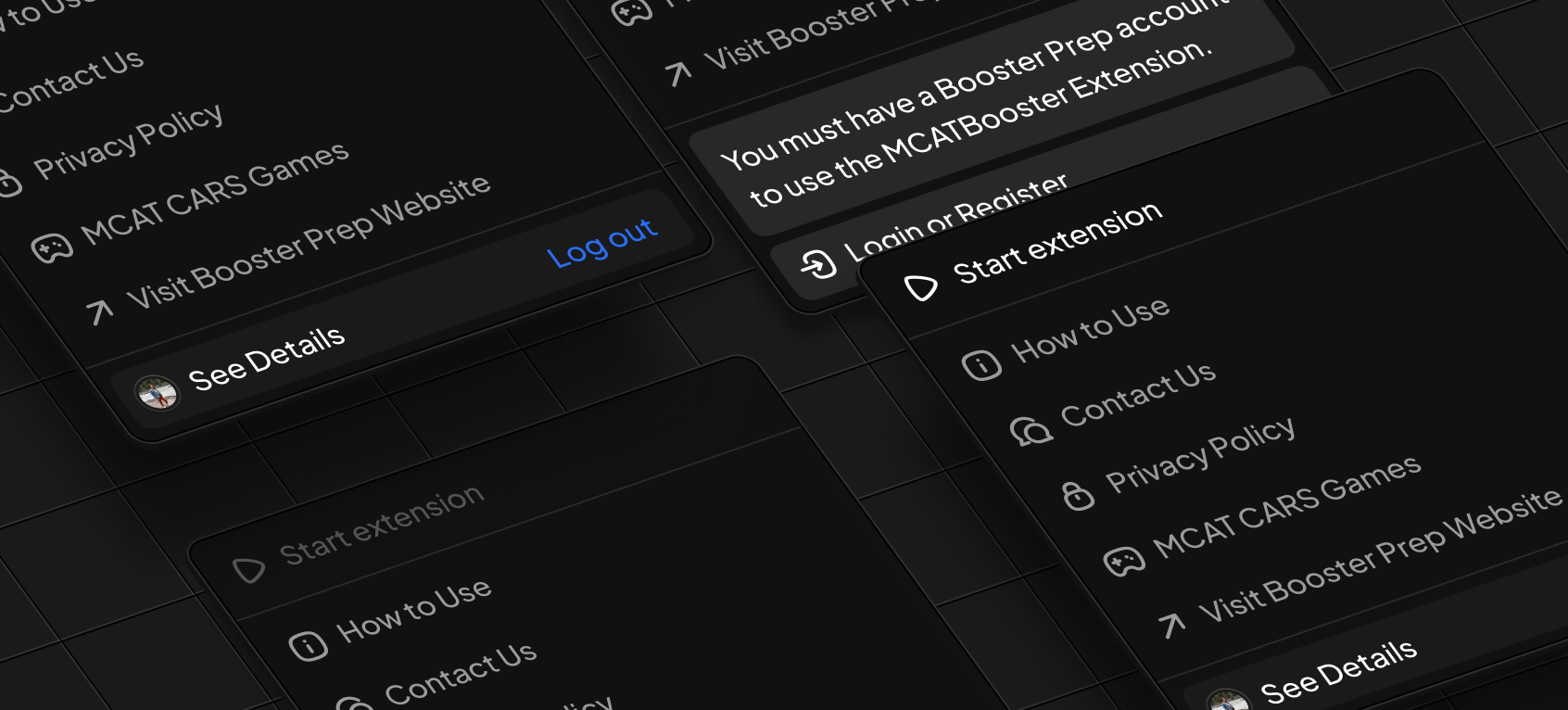
MCATBooster Chrome Extension
Getting Started
Lets walk you through the steps necessary to set up the extension and get the most out of your MCAT prep.
Setting up the extension
Before following the steps below, add the MCATBooster Chrome Extension by visiting the Chrome web store.
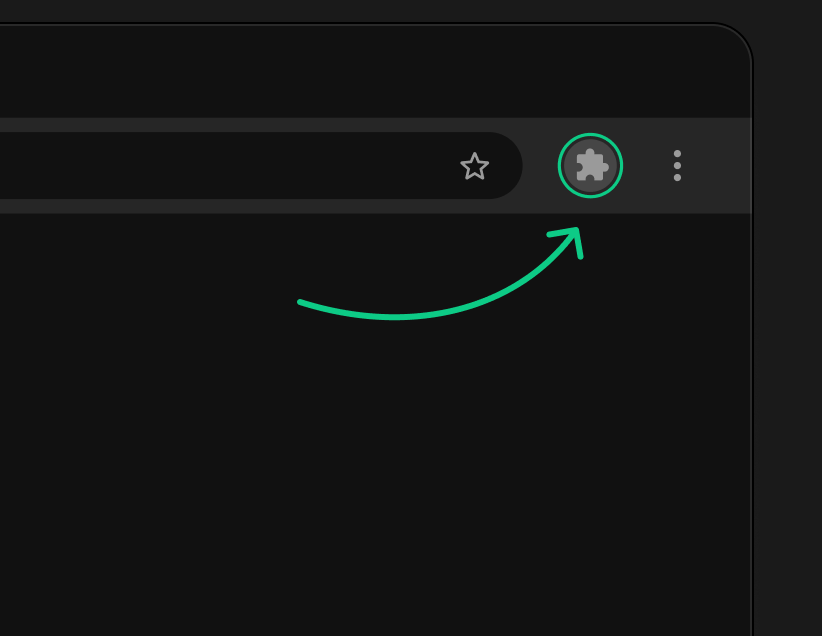
Try Extension – It’s Free!Click the extension icon
Found on the Chrome toolbar.
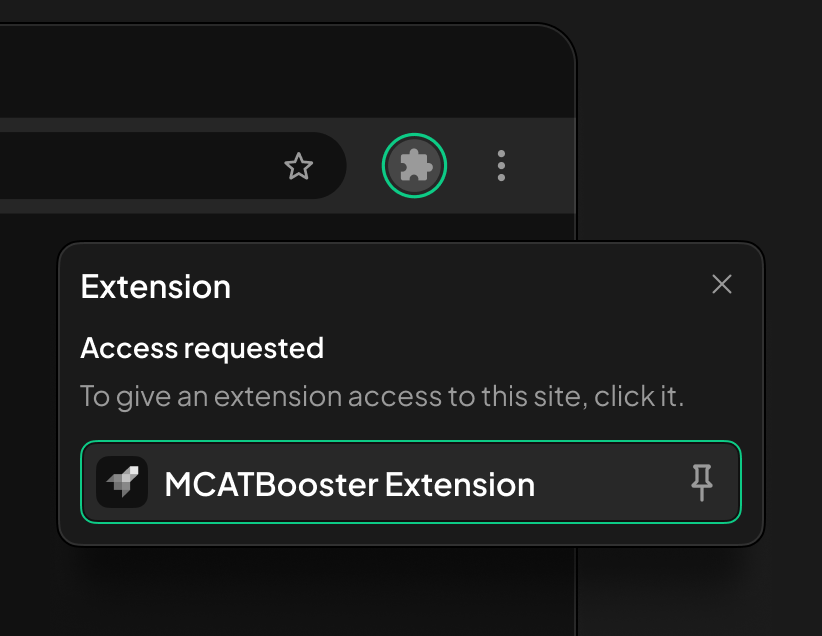
Pin the extension
Ensuring easy access to additional settings.
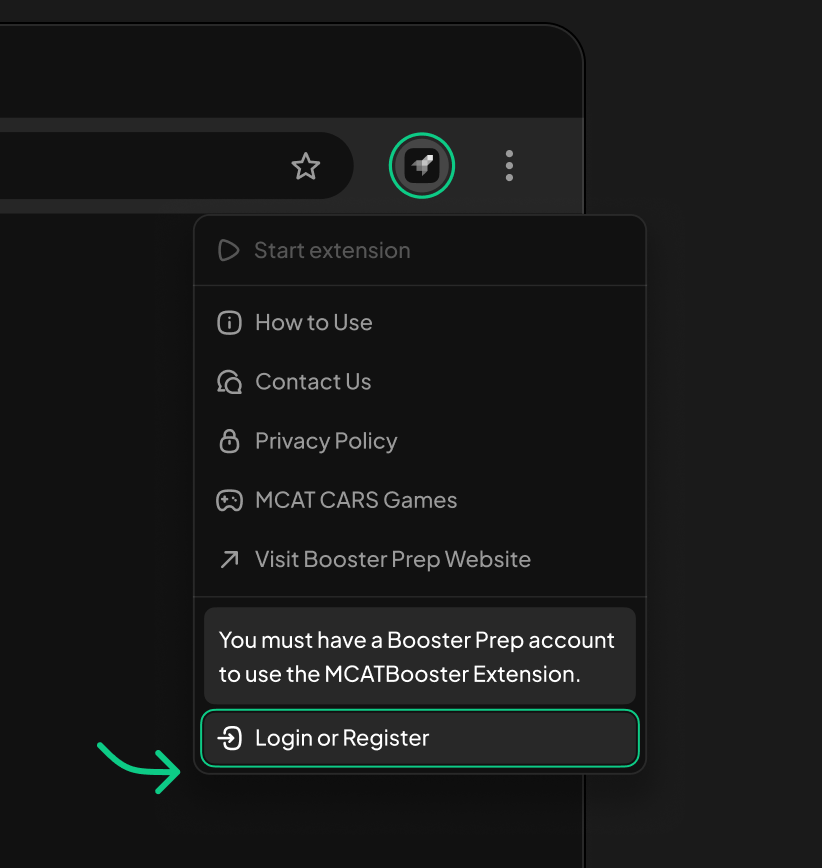
Login or register
Account creation is completely free!
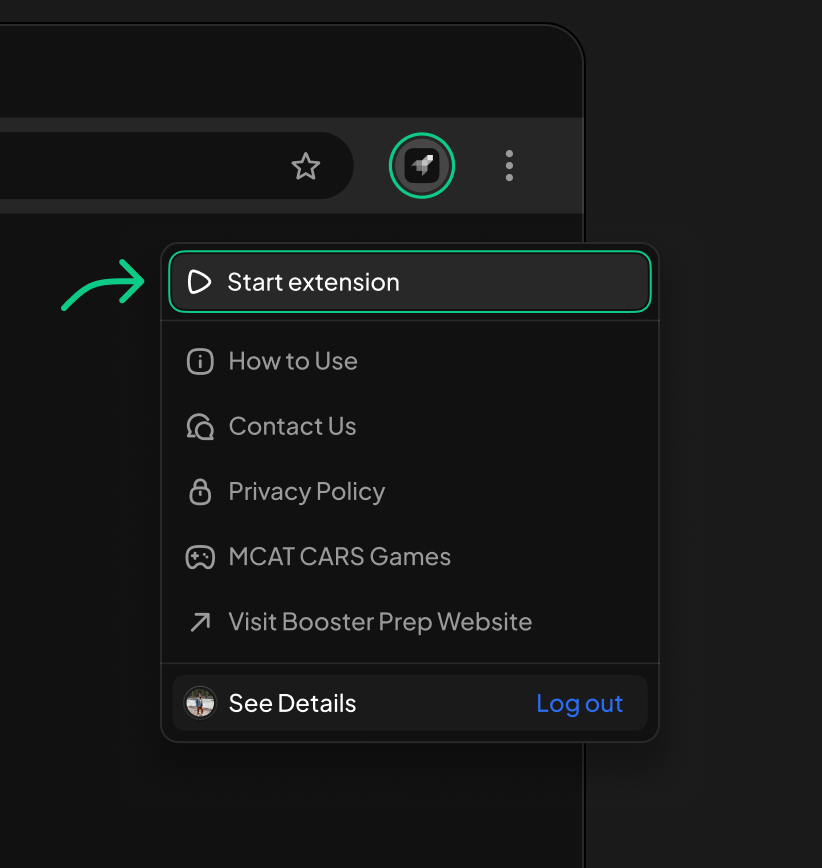
Start the extension
Located at the top of the extension menu.
You're all set!
Navigate back to the official AAMC MCAT practice material and begin reviewing past results with the official interface along with other powerful Booster Prep tools.
Disclaimer
This extension does not replace the need to purchase official AAMC® practice materials. It only works if you already legally own them.
MCATBooster is an independent prep resource owned and operated by Booster Prep Inc. and is not affiliated with, endorsed by, or sponsored by the Association of American Medical Colleges (AAMC®). All explanations provided through this extension are original content created entirely by MCATBooster. We do not reproduce, sell, or redistribute any AAMC® proprietary content. MCAT® is a registered trademark of the AAMC®, which is not affiliated with and does not endorse this product.